


YouTube subscribers count is a social media tool that allows you to instantly track the subscriber counts of a YouTube channel. With the YouTube subs counter tool you can track your channel growth and have fun.
Track YouTube Subscriber Count in Real Time
You should keep track of your subscriber count to really understand your success on YouTube. Because when you regularly check your subs count you can see if you are really growing on YouTube or if need to find new strategies. With Famety’s YouTube subs counter tool you can check your YouTube subscriber count anytime you want and see your progress. This way you can be sure that you have great boost strategies on your YouTube account.
Why Should You Track Your YouTube Subs Count?
If you want to see that you are doing great on YouTube you can learn this by checking your subscriber count. Because if your subscribers are increasing regularly this means you are growing. But if you don't see regular increase and it seems like your account doesn't get enough interaction you can change this. So, wanting to manage your YouTube account successfully by boosting your engagement you need to keep track of your subscribers. And if you're tracking your subscriber growth you might also want to understand what CPV means on YouTube to boost your fans smartly.
Monitor Your Channel’s Growth in Real Time
So, when you use our free subscribers counter tool you will see your progress in real time. This information can help you create a strong YouTube strategy that can boost your growth. With our free tool you can count your live subs and see the live changes on your YouTube account. This way you can boost your engagement with new metrics.
Compare Your Channel with Competitors
Don't forget to check your competitors as well because their success or failure can tell you lots of things. With Famety's live subscriber count tool analyze your competitors and see your strong and weak points. This will be a helpful strategy if you want to grow on your niche.

Benefits of Using Famety’s Subscriber Counter
If you want to track your YouTube subscribers and want to see your success you should use Famety's free subscriber counter tool for this. Our tool offers lots of benefits for your YouTube account and your growth strategy. You can grow your YouTube account with new and better strategies.
No Login or Account Connection Required
You don't have to login to your YouTube account or share your personal information like your password to use our tool. Our tool works completely free and online to protect your privacy. All you need is the link of the YouTube account you want to check.
Works for Any YouTube Channel
Our tool works for every account type on YouTube. You can check every channel personal or brand. Our tool will give you the correct and current information about that channel's subscriber count.
Track Growth
You can easily track your growth on YouTube by checking your live subsriber count. Because when you know how many followers you gain you can clearly see your working or low quality strategies.

How to Use Famety’s YouTube Subs Counter
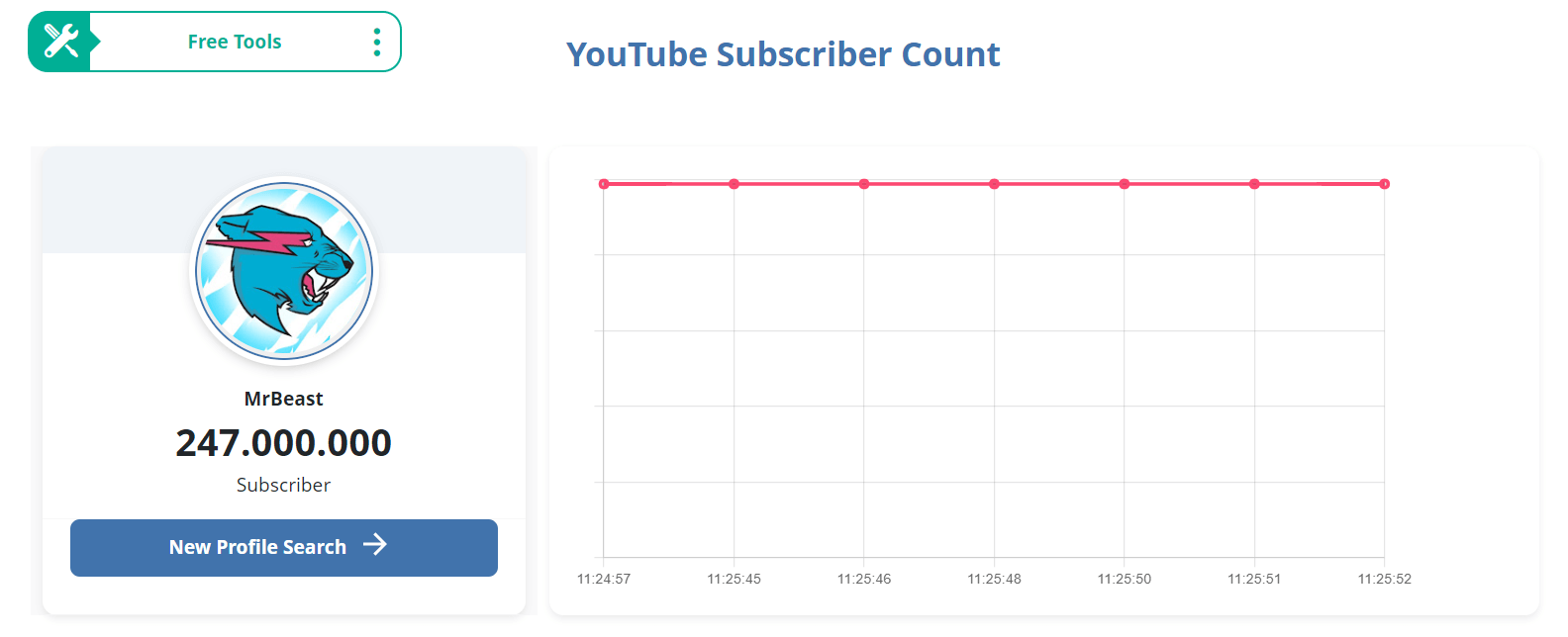
As you know now, we don't need your account information or your password to check subscribers data. You don't even have to register on Famety to use our free tool. You can simply check subscriber count by entering the link of YouTube account you want to check. Follow the steps below and see your live subscriber count.
- You can choose this tool from free tools menu.
- You can enter the YouTube username or YouTube channel link to the empty box.
- Click 'Start Counter' to see the live subscriber count.
you can see the every little change happening on your or others YouTube account live. This way you can create new strategies to grow you YouTube account and reach more people. Don't forget to try our YouTube status checker if you see any errors on YouTube.
Step 1

You can enter your YouTube profile link or another user's account link in the box.
Step 2

Start the subscriber count after you select the YouTube account you want to check.
Step 3

You will now see the live subscriber count of the YouTube account.
Frequently Asked Questions
How often does YouTube update subscriber counts?
YouTube Studio updates counts in real time for creators but public counts may refresh every few minutes. Famety analytics shows the latest possible number without delay.
Can I track another channel’s subscribers live?
Yes as long as the channel’s subscriber count is public. Famety YouTube realtime counter can track any public channel’s stats instantly.
Why is my subscriber counter stuck?
Sometimes YouTube delays updates or rounds numbers. Using a real time tool like Famety live stats helps you see changes as soon as they happen.
Do subscriber counters work for private channels?
No private subscriber counts are hidden by YouTube and cannot be tracked by any counter including Famety analytics.
How do real time counters handle unsubscribes or fake subscribers?
Unsubscribes appear as live drops in your Famety YouTube counter. Fake subscribers removed by YouTube will also disappear from the live stats automatically.
 00:
00: