- The Add Yours sticker on Instagram lets users start or join story chains through shared prompts.
- It boosts engagement by encouraging followers to respond with their own stories.
- Users can participate easily by tapping the sticker and posting related content.
- The feature often goes viral thanks to its simple format and trend potential.
- It helps creators and brands build stronger interaction and community.
“Add Yours” is a fun Instagram sticker that invites followers to contribute their own stories under a shared theme. It’s a great way to spark engagement and create a thread of user-generated content. By tapping the sticker, users can add a photo or video that matches the prompt. Whether you’re promoting a campaign or just having fun, it’s a simple tool to connect with others creatively.
What Is the “Add Yours” Sticker on Instagram?
The “Add Yours” sticker on Instagram lets users start or join story chains built around a shared idea. It offers several benefits:
- Appears directly in Stories and is easy to tap
- Lets followers post their own responses to your prompt
- Encourages creative storytelling and user participation
- Helps content reach more people organically
- Fosters a sense of community through shared themes
How to Join an Existing “Add Yours” Chain
To join an “Add Yours” chain, simply tap on the sticker in someone’s story, then tap “Add Yours” and post your story that fits the theme. Your story will be added to the thread, and viewers can tap to see who else has participated. It’s an easy way to engage with trending topics and showcase your own creativity in the conversation.
If you’re looking to boost visibility and reach more users, you might also consider buying Instagram followers to give your content a stronger start.
Can You See Who Responded to Your ‘Add Yours’ Sticker?



Yes, you can! When someone replies to your “Add Yours” sticker, their responses appear in your story view list. Tap on your story, swipe up, and you’ll see who joined the chain. It’s a great way to monitor engagement and connect with others who shared something in response to your prompt, helping you build more social interaction.
How the “Add Yours” Feature Works in Stories
“Add Yours” works by letting a user place a themed sticker in their story. When others view it, they can tap and post their own story under the same prompt. Each response links back to the chain, so viewers can tap through to see every participant. This interconnected format encourages viral participation and makes stories feel like collaborative experiences.
Why the “Add Yours” Sticker Went Viral
The “Add Yours” sticker went viral due to its simplicity and relatability. It taps into trends and human curiosity by allowing users to showcase personal content in response to a fun or nostalgic prompt. When a theme resonates widely—like “Show your 2016 selfie”—it spreads fast, as people love joining in and seeing how others interpret the same idea.
How to Use the “Add Yours” Sticker
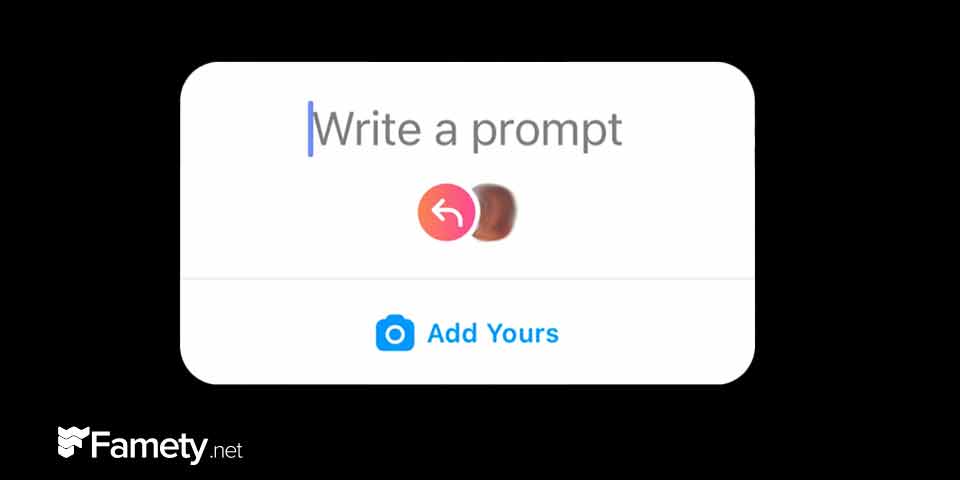
To use it, go to Instagram Stories, capture or upload a photo or video, then tap the sticker icon at the top. Select “Add Yours,” write your prompt, and place it on your story. Once posted, your followers can tap the sticker to join the chain. This encourages interaction and helps you connect with others through a shared idea or trend.
Can You Create Your Own ‘Add Yours’ Prompt?
Yes, anyone can create a custom “Add Yours” prompt. When adding the sticker to your story, simply type your own message in the prompt field instead of using a suggested one. This gives you full control to spark a unique trend or start a meaningful conversation with your followers. It’s a great tool for creativity, challenges, or themed content.