Many users wonder whether TikTok alerts others when their videos, stories or live streams are screen recorded. Since screen recording can be used for saving content, analyzing tutorials or sharing moments, it is important to know what the platform detects and whether any notifications are sent. Understanding TikTok’s detection capabilities helps you protect your own privacy and manage expectations when interacting with others’ content.
- TikTok does not notify users when someone screen records videos, stories, live streams or direct messages.
- The app can track in-app activity like likes, views, comments and DM actions but cannot detect device-level screen recording tools.
- Privacy settings such as making your account private, disabling downloads and restricting interactions help reduce unauthorized content capture.
- Using watermarks and branded overlays provides additional protection by ensuring recorded or reposted copies still carry visible attribution.
How TikTok Handles Screen Recording Detection
TikTok is built to prioritize content distribution and community interaction, not to track every technical action performed on your device. Although the app can recognize certain activity patterns, it does not have full visibility into your operating system’s internal screen recording tools. Because of that, TikTok does not send alerts when someone records what is playing on their device. To understand this better, it is helpful to look at what TikTok can actually detect and why the platform currently avoids implementing screen recording notifications.
What TikTok Can Track on Your Device
TikTok can track actions that happen inside the app, such as likes, comments, shares, video saves and watch time. It also monitors how users interact with features like Stories, DMs, profiles and Lives. These internal behaviors are logged because they directly impact recommendation patterns and safety enforcement.
However, screen recording itself is triggered at the device level, not inside TikTok’s system. That means your phone activates the recording function independently. TikTok cannot track the exact moment you start recording, which is why the platform does not notify creators when their videos are captured. Instead, TikTok focuses on signals that influence engagement and platform safety rather than on-device functions.



TikTok is able to detect:
- Likes, comments and shares
- Watch time and scroll patterns
- Story views and profile visits
- Live stream engagement
- Saved videos and repost actions
TikTok is not able to track:
- When your device starts or stops screen recording
- Whether you take a screenshot of a regular video
- Which external apps you use while recording
Why Screen Recording Does Not Trigger a Notification
Screen recording notifications require the app to monitor device level activity, which TikTok does not have permission to access. iOS and Android restrict apps from detecting when users start screen recording for privacy and security reasons. Because of these limitations, TikTok cannot reliably identify screen recording events, and therefore cannot notify creators when it occurs.
Additionally, TikTok maintains a global user base, and screen recording detection policies vary by region, device type and system privacy standards. Ensuring consistent and accurate detection across all devices would be technically difficult and could introduce privacy complications. As a result, TikTok chooses not to send notifications and instead focuses on internal signals that directly affect user experience, safety guidelines and content moderation workflows.
What Happens When You Screen Record Different Types of Content
TikTok treats screen recording the same way across most content types, but users often confuse specific features like Stories, Lives and DMs. While TikTok does track certain interactions inside the app, it does not send alerts when someone uses their device to capture the screen. The platform’s privacy structure distinguishes between public content, semi private content and direct one to one communication, which is why it is important to understand how each category behaves when you screen record it.
Regular TikTok Videos and Profiles
When you screen record a standard TikTok video or someone’s profile, TikTok does not notify the creator. Public videos are designed for wide visibility, and the platform focuses on measuring engagement rather than detecting recording tools. This means creators see metrics like views, likes and shares, but they cannot see if someone captured their content through screen recording. The same applies to profile pages, repost tabs and comment sections.
TikTok still logs your regular activity on these elements, including:
- Video replays
- Profile visits
- Comment interactions
- Shares and saves
None of these logs include screen recording data, because TikTok cannot access your device’s system level features.
TikTok Stories, Lives and Live Replays
Stories, live streams and live replays are more dynamic features, but TikTok still does not notify creators when someone screen records them. While some apps provide alerts for screenshots on temporary content, TikTok does not use this type of detection. Whether the content is real time or short lived, your device handles the recording independently, so creators have no visibility into who captures their Story or Live.
Although TikTok does not send alerts, the platform does track in app engagement during these features, including:
- Story views
- Who joined the live
- Who commented or sent gifts
- Replay viewer counts
These metrics are limited to internal interactions, not device recordings.
Direct Messages and Private Interactions
Screen recording private content like DMs, saved messages or private videos also does not trigger any notifications on TikTok. Even though these interactions involve personal communication, TikTok still cannot detect whether your device recorded the conversation. This is important to understand because many users assume private messages are protected the same way some messaging apps handle screenshots, but TikTok does not offer this protection.
TikTok does monitor DM related actions such as:
- When a message is read
- When someone sends or deletes media
- Whether you accept or decline message requests
None of these interactions include screen recording data. Because of this, users should be cautious about what they share privately, since others can record the screen without triggering any alerts.
Why TikTok Chooses Not to Notify Screen Recording
TikTok’s decision not to alert users about screen recordings is driven by a combination of technical, privacy and platform design priorities. Most major social apps avoid monitoring device level actions, because screen recording is initiated outside the app’s environment and cannot be reliably tracked. TikTok instead focuses on protecting user privacy and keeping the platform lightweight, prioritizing engagement metrics like views, interactions and audience behavior from features such as Stories, Lives and even activity from TikTok followers. This broader structure makes screen recording detection impractical and inconsistent, which is why the platform avoids using it entirely.
Technical Limitations and Privacy Constraints
Screen recording takes place at the operating system level, not inside TikTok, which means the app cannot directly see when a user activates the recorder. Both iOS and Android restrict third party apps from monitoring or intercepting system tools for privacy and security reasons. Even apps that appear to detect screenshots often rely on indirect triggers rather than actual device monitoring.
If TikTok attempted to detect screen recordings, it would require deeper access to your phone than modern privacy policies allow. This would raise security concerns, cause conflicts with app store rules and potentially slow down the app. To avoid this, TikTok focuses on what it can measure internally, such as user interactions, content performance and reporting activity, rather than attempting to monitor actions happening outside its environment.
Platform Policies Compared to Other Apps
TikTok’s approach aligns with most mainstream platforms that allow public content sharing without screenshot or screen recording notifications. Unlike apps designed for temporary or confidential content, TikTok treats its environment as an open platform where videos, profiles and engagement data are meant to circulate widely. Because of this, the platform emphasizes creator analytics, content distribution tools and safety controls instead of detection alerts.
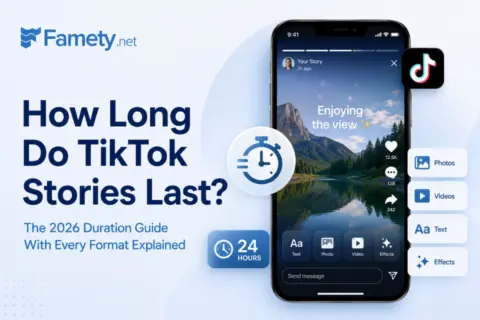
TikTok Stories last for 24 hours by default and disappear from your profile and your followers' feeds automatically. In 2026 TikTok added a save to pr...
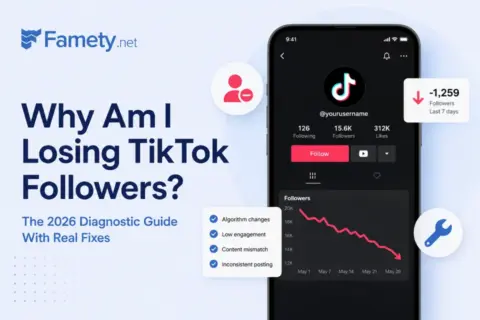
You are losing TikTok followers because of one or more of six factors: TikTok purged fake or inactive accounts from your following base, your content ...
Some privacy focused apps use limited screenshot notifications in private communication features, but these systems often rely on temporary content structures or specialized encryption. TikTok does not use these systems, so adding detection notifications would require significant redesign and could disrupt the free sharing nature of the platform. For consistent user experience, TikTok maintains a clear policy: content can be recorded, but users must rely on privacy settings to control who can access their videos.
How to Protect Your Content From Being Screen Recorded
Even though TikTok does not notify creators about screenshots or screen recordings, you can still reduce how easily others can copy or reuse your content. Protection on TikTok is not about blocking system tools on someone’s device but about limiting who can access your videos, how easily they can download them and what level of visibility your posts have. By adjusting privacy settings and using strategic content protection methods, you can control how widely your videos circulate and discourage unauthorized reuse.
Privacy Settings That Limit Access
TikTok’s built in privacy controls allow you to restrict who can watch, share or interact with your videos. These settings significantly reduce the number of users who can capture your content through screen recording, because they limit exposure and minimize who can access your posts. When applied correctly, these tools function as the first layer of protection for creators who want more control over how their videos circulate.
Some essential privacy settings to adjust include:
- Switching your account to private
- Restricting who can duet or stitch your videos
- Turning off downloads
- Controlling who can comment or message
- Hiding your liked videos from the public
Here is a clear breakdown of how key privacy features help reduce the risk of unauthorized screen recordings:
| Privacy Feature | What It Controls | How It Helps Prevent Recording |
| Account Visibility | Who can see your videos and profile | Limits exposure by allowing only approved viewers |
| Download Permissions | Whether others can save your videos directly | Forces users to rely on low quality screen recordings instead of high quality downloads |
| Interaction Controls | Who can comment, duet, stitch or message | Reduces attention and prevents unwanted engagement that may attract recorders |
| Audience Filters | Who can see your liked videos or follow list | Protects your activity and prevents strangers from discovering your content through indirect pathways |
These settings do not block screen recording entirely, but they minimize the audience size and create fewer opportunities for someone to capture your content.
Tools Like Watermarks and Download Restrictions
TikTok provides a few creator level protection tools that discourage others from reusing or reuploading your content without permission. Watermarks, download restrictions and careful branding help ensure that even if someone screen records your video, the captured version still contains visible attribution or quality limitations that make it harder to repurpose.
Effective protection strategies include:
- Using TikTok’s automatic watermark to mark ownership
- Adding your own branded overlay or text to the video
- Turning off downloads in the Privacy settings
- Using low risk preview clips instead of full uploads
- Avoiding posting sensitive or private content publicly
These tools do not prevent recording entirely, but they create clear ownership markers and reduce the usefulness of any captured footage. For creators who publish tutorials, commentary or artistic content, even a simple watermark can discourage theft by making reuploads traceable.
Final Thoughts
TikTok does not notify users when someone screen records videos, Stories, Lives or DMs, so protecting your content requires smart privacy choices and strategic posting habits. By limiting who can view your videos, adjusting download permissions and using watermarks, you stay in control of how your content spreads. Screen recording cannot be stopped at the device level, but you can significantly reduce exposure and prevent misuse through the tools TikTok already provides. With the right settings, your videos remain safer, more professional and better protected across the platform.