- You can get notifications on TikTok for a specific person by tapping the bell icon on their profile and enabling the alerts you want.
- Notifications can include new posts, live videos and stories depending on your choices.
- Phone notification permissions must be enabled for TikTok to deliver alerts.
- The other person will not be notified that you turned on post alerts.
If you follow someone on TikTok and want to stay up to date with everything they post, you may want notifications that tell you exactly when they upload content. TikTok’s algorithm tries to show you relevant videos, but it can often miss posts from the people you care about most. Because of this, TikTok offers ways to get alerts for specific users so you never miss their videos. Knowing how to turn them on and manage them effectively will help you stay connected to your favorite creators.
Below we explain how to activate these notifications on mobile devices and adjust both in-app and phone preferences so that alerts come through every time your selected person posts, starts a live stream or shares a story.
Can You Get Notifications for One TikTok Account?
Yes you can. TikTok allows users to enable personalized alerts for specific accounts that they follow. This feature ensures that when someone you care about uploads a new video or goes live, you receive a notification.
This is especially useful when you follow influencers, friends or favorite creators whose updates you never want to miss. Turning on these notifications gives you greater control over what you see first in your feed.
How to Enable Post Notifications for a Specific TikTok User



To make sure you get an alert when someone posts on TikTok, follow these steps:
- Open the TikTok app and log in.
- Search for the user you want notifications from.
- Go to their profile page.
- Tap the bell icon near the Follow button.
- Choose the types of notifications you want:
- Posts
- Live videos
- Stories
- Posts
Once you toggle on the alerts you want, TikTok will send push notifications each time that person uploads new content to TikTok.
How to Get Live Notifications from a Favorite User
Live videos are one of the most engaging formats on TikTok, but they can be easy to miss if you do not have alerts set up. To receive live notifications:
- Visit the creator’s profile.
- Tap the bell icon again.
- Turn on Live alerts.
This ensures you receive a push notification each time that person begins a broadcast on TikTok.
How To Make Sure TikTok Can Send You Alerts
Even if you turn on in-app alerts for specific users, your phone may still block notifications at the system level. To fix this:
For iPhone Users
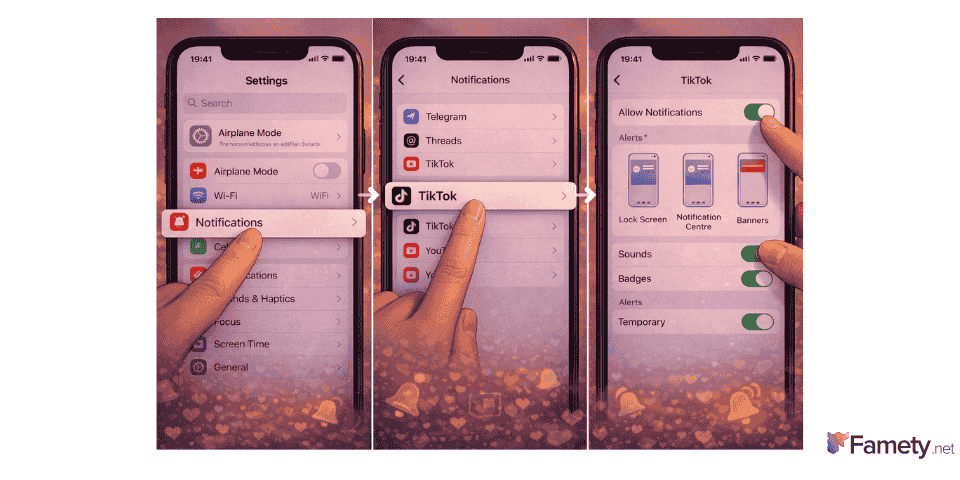
- Open Settings on your iPhone.
- Tap Notifications.
- Scroll to TikTok and tap it.
- Turn on Allow Notifications.
- Choose where alerts appear (Lock Screen, Banners, Sounds).
For Android Users
- Open Settings.
- Tap Apps & Notifications.
- Find TikTok in the list.
- Tap Notifications.
- Make sure all relevant switches are enabled.
Without these permissions, TikTok’s app notifications may never reach your phone even if they are turned on inside the app itself.
Why You Might Not Get Alerts Even After Turning Them On
If you followed all the steps but are still not receiving notifications from a specific user, here are some common reasons:
- Notifications are disabled on your phone.
- Battery saver or optimization is blocking alerts.
- Silent or Do Not Disturb mode is on.
- TikTok app needs to be updated.
- Internet connection is weak and delaying notifications.
Try restarting your device, checking for TikTok updates and making sure phone settings allow alerts to come through without restrictions.
Customizing Notification Types
TikTok lets you choose which kinds of alerts you want to receive from an individual account. After you tap the bell icon on a profile, you can typically turn on or off alerts for:
- New Posts: Get notified every time they upload a video.
- Live Streams: Receive alerts when they start broadcasting live.
- Story Updates: Optional if the user posts story content.
By selecting only the alerts that matter to you, you can avoid notification overload while staying up to date with favorite content.
Does the Other Person Know You Turned on Notifications?
A common concern is whether TikTok notifies the other user when you enable their alerts. The good news is that TikTok does not share your personal notification settings with other users. They will not receive any alert or message that tells them you turned on post notifications.
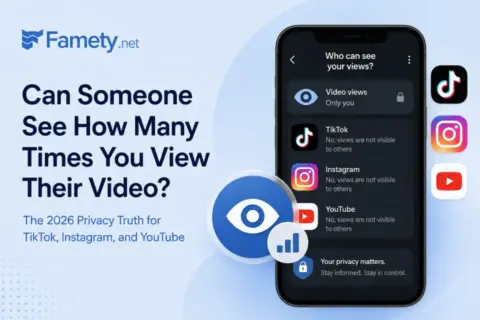
No. Creators on TikTok, Instagram, and YouTube cannot see how many times a specific person watched their video. They see aggregate view counts, engage...
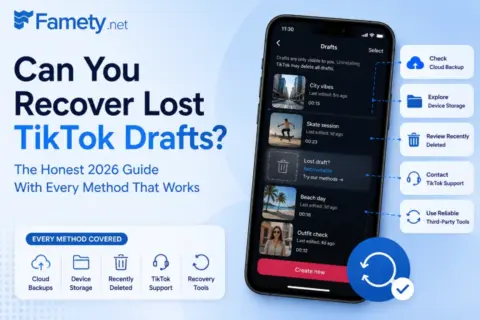
Sometimes, but only in specific situations. TikTok stores drafts locally on your device, not on its servers, which means once the app data is gone the...
However, if you interact with a video by liking or commenting, the person may see those actions in their feed.
Tips for Staying Updated Without Overloading Your Phone
Receiving alerts for every update from every person you follow can be overwhelming. Here are some tips to manage smart alerts:
- Limit alerts to your top creators.
- Only enable notifications for posts or live videos you really want.
- Turn off alerts during work or rest hours.
- Visit favorite profiles directly when possible.
These simple steps help keep your notification center organized while making sure you never miss content from the people who matter most to you.
When to Use This Feature
You may want notifications for a specific person if:
- They are a content creator you follow closely.
- They go live often for Q&A sessions.
- You work with them and need timely updates.
- You follow trends and want alerts as soon as they post.
This feature gives you a more personalized experience beyond TikTok’s general recommendations.
Conclusion
Getting notifications on TikTok for a specific person starts with turning on in-app alerts and ensuring your phone settings allow push notifications. By tapping the bell icon on a user’s profile and customizing alert types, you can receive updates for posts, live videos and stories. Checking system permissions and managing battery settings makes sure these alerts are delivered on time. With these steps you can take full control over how you receive content from your favorite TikTok creators.