- TikTok includes built-in zoom controls you can use while recording or editing.
- You can pinch the screen or drag the record button to zoom out smoothly.
- Draft editing tools let you adjust zoom after recording before posting.
- Updating the app and checking camera permissions helps avoid common issues.
Creating TikTok videos that look polished and show everything you want in the frame matters more than ever. Knowing how to zoom out on TikTok videos helps you capture wide shots, include scenery, fit more people, and make storytelling smoother. Whether you record in-app or fix framing in drafts, this guide gives real, easy methods you can use today to adjust zoom levels and improve your content.
Why Zooming Out Matters on TikTok
Zooming out helps with:
- Capturing group shots where everyone is visible
- Showing wide landscapes in travel videos
- Giving context to scenes instead of tight views
- Creating more dynamic transitions and storytelling
Framing well makes your video more visually pleasing and keeps viewers watching longer.
How to Zoom Out While Recording
If you’re shooting directly in TikTok, you don’t need extra tools. TikTok’s camera has built-in controls that let you adjust zoom as you shoot.



Steps to Zoom Out While Recording
- Open TikTok and tap the ‘+’ button to start a new video.
- Place two fingers on the screen.
- Pinch your fingers closer together to zoom out.
- Move them apart to zoom in.
- Tap and hold the red record button.
- While holding, slide your finger downward to make the image smaller.
- Release to lock the zoom level and record your video.
This lets you manually adjust zoom without stopping the recording. Practicing the pinch gesture makes adjustment smoother and more natural.
Using TikTok’s Touch Gestures to Control Zoom
TikTok also supports two main gestures for zoom control:
- Pinch gesture: Bring fingers together to zoom out, spread them apart to zoom in.
- Record button drag: Press and hold the record button. Drag your thumb down to zoom out and up to zoom in.
These gestures feel intuitive and don’t interrupt your flow when creating content.
Adjust Zoom Levels With the In-App Camera Tools
Some TikTok versions show an on-screen slider after you tap the record button. Slide this up or down to change how much you show in your frame.
Why use these sliders
- They give finer control over zoom level.
- They help you create smoother transitions from close-up to wide shots.
- You can adjust without interrupting your recording.
Mastering this helps with creative shots like revealing wide scenery or slowly pulling back for dramatic effect.
Zooming Out on Drafts and Saved Videos
Sometimes you record first and then want to fix framing. TikTok allows minor adjustments when editing drafts.

No. Creators on TikTok, Instagram, and YouTube cannot see how many times a specific person watched their video. They see aggregate view counts, engage...
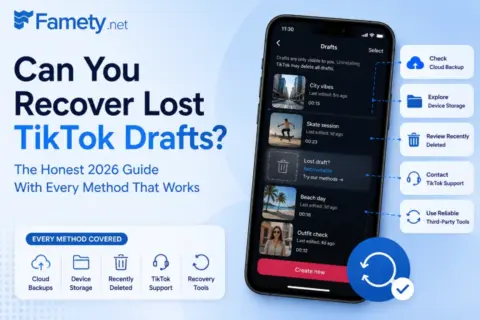
Sometimes, but only in specific situations. TikTok stores drafts locally on your device, not on its servers, which means once the app data is gone the...
How to adjust zoom in drafts
- Go to your Drafts folder.
- Tap the video you want to fix.
- Look for Edit or Crop/Scale tools.
- Shrink the video size to show more of the background.
- Adjust placement in frame and save.
This is helpful when your original recording was too tight but you still want to use the same content.
Common Problems With Zoom Tools and Fixes
Sometimes zoom controls don’t behave as expected. Try these tips if something seems off.
- Update TikTok: Older versions may lack proper zoom support.
- Restart the app: This clears temporary glitches.
- Check camera permissions: Without access, the zoom controls may not respond.
- Test on another app: If pinch gestures work elsewhere, the issue is likely with TikTok.
For posted videos, you can’t change zoom after publishing. If you need a different zoom level, save the video, re-edit it, or record again with the correct framing.
Tips for Better Framing on TikTok
Proper zoom helps your viewers see your story clearly and helps your content feel more professional to gain more views.
- Plan shots before recording: Decide if you need wide or close perspectives.
- Use pinch and slider smoothly: Sudden zooms can feel jarring for viewers.
- Practice transitions: Try zooming out gradually to create cinematic reveals.
- Frame group shots early: Start wide so everyone stays in view.