- Twitch streaming starts with creating an account and choosing the right gear and software.
- Streaming software like Twitch Studio or OBS connects your content to the platform.
- Customizing your channel and engaging with viewers builds your community.
- Tracking analytics and maintaining consistency helps you grow long term.
Twitch remains the leading platform for live video content in 2026, with millions of viewers tuning in daily to watch gamers, artists, podcasters, and creators from around the world. Starting your Twitch journey can feel overwhelming, but the right steps make it easy and rewarding. This guide will walk you through everything you need to know to go live with confidence and grow your channel over time.
Whether you want to stream games, chat with an audience, or build a creative community, Twitch gives you the tools to do it. By the end of this article you will understand how to set up your account, choose gear, configure software, go live, and interact with your audience for long-term success.
Why Streaming on Twitch in 2026 Matters
Twitch is more than a video site. It is a live entertainment ecosystem where creators build follower base, earn money, and connect globally. As the platform evolves, tools and features continue to improve for new streamers. Starting now means you can grow with the platform and find your niche audience.
Key benefits of streaming on Twitch
- Stream to a global audience from day one.
- Earn via subscriptions, ads, and tips once you qualify.
- Build community with chat interaction and loyalty.
- Share your passion in real time.
Twitch is no longer only for gamers. Creators of all types stream music, talk shows, podcasts, workshops, and more. Knowing how to start the right way helps you stand out.
Step 1: Create Your Twitch Account



Before you can go live, you need a Twitch account. Here is how to set it up.
- Visit Twitch.tv on your browser or open the Twitch app.
- Click the Sign Up button and fill in your email, username, and password.
- Choose a username that reflects your brand or content theme.
- Confirm your email to activate your account.
Choosing a strong username makes your channel easier to find later. Once your account is active, you can customize your profile picture, bio, and panels to match your personality.
Step 2: Choose Your Streaming Tools
You need both hardware and software to start streaming. The good news is you can begin with basic tools and upgrade later.
Streaming Hardware Checklist
- Computer or console: A PC, laptop, PlayStation, or Xbox can all stream to Twitch.
- Stable internet connection: Upload speed matters more than download speed, especially for quality streams.
- Camera and microphone: A webcam and mic improve viewer connection.
- Optional accessories: Lighting, green screens, and capture cards help enhance production quality.
You do not need expensive gear to start. Many successful streamers began with nothing more than a webcam and headset. Upgrade over time as your audience grows.
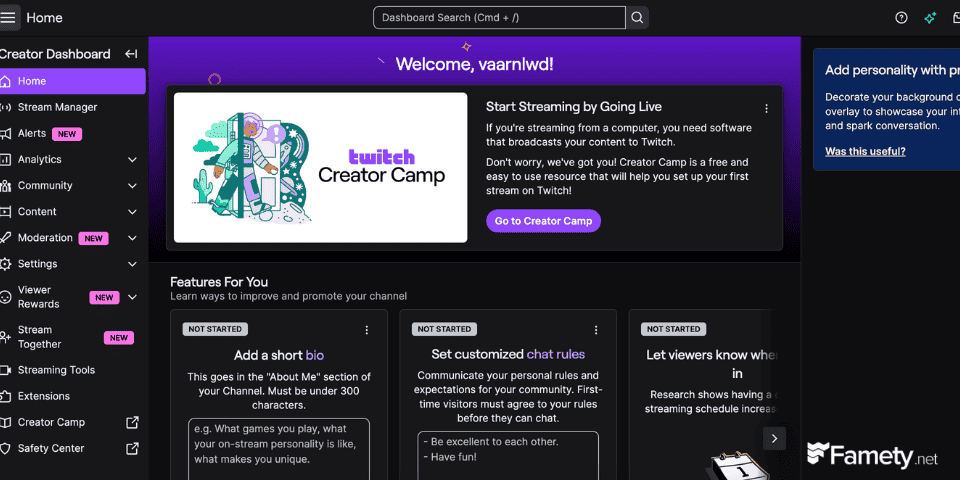
Step 3: Choose Streaming Software
Streaming software captures what you want to broadcast and sends it to Twitch. Popular options include.
- Twitch Studio: Designed by Twitch for beginners to set up easily.
- OBS Studio: A flexible and powerful free tool used by many pros.
- Streamlabs OBS: Built on OBS with extra features like alerts and overlays.
Each tool has strengths. If you want the simplest path, start with Twitch Studio. If you prefer customization and plugins, OBS Studio or Streamlabs is ideal.
Step 4: Connect Your Software and Go Live
Once you have your software chosen, you must connect it to Twitch.
- Open the streaming software.
- Find the Settings section.
- Select Stream and choose Twitch as your platform.
- Paste your Stream Key from your Twitch dashboard into the software.
- Set up your scene with camera, game capture, and overlays.
When everything is ready, click Start Streaming. Your content will appear live on Twitch for your audience.
Step 5: Customize Your Channel
A personal touch helps your stream stand out. Customize your channel with.
- Profile bio: Tell viewers what your stream is about.
- Panels: Add links to social media and donation options.
- Overlays: Use alerts, graphics, and themes to make your stream look professional.
- Schedule: Post a consistent streaming schedule so viewers know when to return.
These small details help build your brand and signal professionalism to your audience.
Step 6: Interact with Your Viewers
Streaming is not just broadcasting; it’s a conversation. Here are ways to engage.
- Watch chat and respond live.
- Ask questions to your viewers.
- Use chat commands and bots for moderation and fun.
- Run polls or events during your stream.
Viewers are more likely to stick around when they feel involved and valued.
Step 7: Promote and Grow Your Channel
Growth does not happen automatically. Try these strategies.
- Consistent schedule: Streaming at the same time helps build routine.
- Use social media: Share clips and announcements on TikTok, Instagram or YouTube.
- Collaborate with other streamers: Hosting or raiding other channels can bring new viewers.
- Post highlights: Using short clips keeps your content discoverable outside Twitch.
Consistency and networking can turn new viewers into loyal fans.
Step 8: Track Data and Improve
Analytics help you understand what works and what doesn’t. Tools like Twitch’s built-in analytics or third-party platforms show.
- Peak viewers
- Watch time
- Followers gained
- Best content types
Analyzing this data lets you tailor your strategy for growth and retention.
Common Mistakes New Streamers Should Avoid
Even the best beginners can make mistakes. Here are pitfalls to avoid.
- Streaming without testing audio and video first.
- Ignoring chat interaction.
- Changing content too often without focus.
- Streaming at inconsistent times.
Learning from small mistakes helps you improve faster.
A Dead Stream on Day One Stops Most People. Do Not Let It Stop You.
The first stream with zero viewers is the hardest one to push through, and it is exactly where most new streamers quit. Famety helps you attract more Twitch viewers from the start so your channel looks active from day one and gives new visitors a reason to come back.