- TikTok suggests friends using contact data, social connections and behavioral tracking signals across linked accounts and devices.
- You can disable suggestions by turning off “Suggest Your Account to Others” and stopping the “People You May Know” recommendations in Privacy settings.
- Removing synced contacts, unlinking Facebook or other social profiles and blocking social graph data significantly reduces unwanted suggestions.
- Switching to a private account and disabling discovery through phone number or email gives you greater control over who can find you.
TikTok often suggests people you may know using a combination of contact data, social connections and behavioral signals. Even if you never manually search for someone, the platform uses patterns that link your account to others in ways that feel surprisingly accurate. Understanding why these suggestions appear is the first step to turning them off. Once you know what data TikTok relies on, you can adjust your settings and remove permissions that fuel these recommendations. This helps you prevent the app from pulling information from your phone, your social accounts or any past connections you may have interacted with on the platform.
Why TikTok Keeps Suggesting Friends and Contacts
TikTok shows friend suggestions because the platform is designed to connect users who share digital footprints, social circles or similar activity patterns. Its recommendation system does not just focus on viewing habits. It also scans factors like contact syncing, mutual profile visits, linked accounts and device level signals to determine who might know each other in real life. Even passive data, such as who searched for you or who imported their contacts, can influence your appearance in these suggestions. TikTok uses all of this information to create a network map that determines who might be relevant to show you.
How Recommendation Signals Detect People You May Know
TikTok detects potential acquaintances using algorithmic signals that track your interactions both inside and outside the app. These signals include viewing behavior, mutual followers, past direct messages, shared device networks and even actions such as watching the same videos from the same creator. When multiple signals overlap, TikTok assigns a higher probability that two people may know each other and pushes them into each other’s suggestion lists.
The platform also uses silent behavioral indicators. For example, if you repeatedly pause on a profile, search for someone more than once or engage with creators from a specific local area, TikTok includes this as part of your identity graph. When matched with another user who has similar patterns, the system treats that as a link. This type of detection happens constantly in the background and is one of the main reasons suggestions appear even when you do not actively sync your contacts.



Useful triggers that increase suggestion likelihood include:
- Repeatedly viewing someone’s profile or content
- Having overlapping mutual followers
- Interacting with creators from the same region
How TikTok Collects and Matches Contact and Social Data
TikTok enhances friend suggestions using data synced from your phone, social accounts and device level identifiers. When you grant permission to sync contacts, the app scans phone numbers, email addresses and names. It does not simply match exact contact fields. Instead, it cross references this information with TikTok profiles, uploaded contact lists from other users and profile details already stored in its system. Even if a contact is not on TikTok yet, the app still saves a hashed version to predict future matches.
Connected social accounts like Facebook or Instagram amplify these suggestions even further. These platforms share friend lists, profile metadata and similar identifiers when linked. TikTok also tracks device signals that reveal whether two users have logged into the app from the same Wi-Fi network or shared a device in the past. All of this data contributes to a robust connection graph that predicts who might know whom. Once this data is collected, TikTok automatically suggests those individuals across its friend recommendation features.
How to Disable TikTok’s Friend Suggestions in Settings
TikTok allows you to control who can discover your profile and how often you appear in recommendation lists. Most users do not realize that the app automatically enables discovery settings that push your profile to people based on contacts, interactions and social connections. By adjusting a few privacy options, you can stop TikTok from recommending your account to users who might know you and reduce the number of suggestions you see from others. These settings are located in TikTok’s Privacy menu, and updating them immediately lowers how aggressively the platform attempts to connect you with real life contacts.
Turn Off “Suggest Your Account to Others”
This setting determines whether TikTok actively promotes your profile to people based on contact syncing, mutual interactions and behavior signals. When it is switched on, TikTok places your profile in discovery lists for users who share similar data points with you. Turning this feature off prevents your account from appearing in these automated friend recommendations.
To disable it, go to Settings, open the Privacy menu and locate the section that controls how your account is suggested. Inside this menu, you will see multiple checkboxes related to your phone number, email address and interactions. Disable all available options to limit how often TikTok recommends your profile. Once turned off, users will no longer see your account in their friend suggestion feed unless they manually search for you.
Turn Off “People You May Know” Recommendations
This option controls whether TikTok shows you profiles based on contact syncing, shared data or interaction patterns. When enabled, the algorithm continuously analyzes your behavior to predict who you might know and places those users in your friend suggestion list. Disabling this feature helps stop the app from displaying familiar names or contacts that you prefer not to engage with on TikTok.
To turn it off, open the Privacy settings and find the recommendation controls that manage suggested connections. Once disabled, TikTok will stop using behavioral predictions to show you people you may know. This reduces unwanted familiarity in your feed and keeps your browsing experience more private. It also limits how much personal data TikTok relies on when deciding which accounts to promote to you.
How to Stop TikTok From Syncing or Using Your Contacts
TikTok’s friend suggestion system relies heavily on the contact information it collects from your device. Even if you never open your phone book inside the app, TikTok may still prompt you to sync contacts or pull data you previously granted access to. If you want to prevent familiar names from showing up in your suggestions or stop your own profile from appearing to people who have your number, turning off contact syncing is essential. This section explains how to block TikTok from accessing your contact list and how to delete any stored data the app may have already collected.
Disable Contact Syncing on TikTok
When contact syncing is enabled, TikTok continuously checks your phone numbers, emails and saved names to identify possible connections. The app may also update these matches each time new contacts are added to your device. Disabling syncing immediately stops TikTok from scanning your phone book and reduces the accuracy of friend suggestions connected to your real life network.
To disable syncing, open your TikTok settings, navigate to Privacy, then tap the Sync Contacts and Facebook Friends section. Here you will see toggles for uploading your phone contacts. Turn these switches off to prevent any future syncing. Once disabled, TikTok will no longer search your device’s contact list or update suggestions based on it. This limits how much of your offline identity becomes part of TikTok’s recommendation profile.
Remove Previously Synced Contacts
Even after turning off syncing, TikTok may still store contact data you uploaded in the past. The app keeps this information on its servers to maintain old matches unless you manually delete it. If you want to fully stop unwanted friend suggestions, clearing this stored data is an important step. Removing the uploaded list ensures the algorithm no longer relies on those numbers, emails or names when suggesting people you may know.
To clear the synced data, go back to the same Sync Contacts menu and look for the option that allows you to remove all previously uploaded contacts. When you select this, TikTok deletes the stored list from your account profile. After the removal is complete, the algorithm will no longer match your account with people based on those contacts. This helps create a more private experience and reduces the likelihood of seeing or being seen by individuals linked to your phone book.
How to Remove Linked Social Accounts That Trigger Suggestions
TikTok expands its friend suggestion system by pulling data from linked platforms such as Facebook, Instagram and other connected services. When these accounts are linked, TikTok gains access to social graph data, friend lists, contact matches and behavioral connections that identify who you may know. If you want to reduce or eliminate these suggestions, unlinking every unnecessary social profile is one of the most effective actions you can take. This step limits how much external information TikTok receives and reduces how often familiar names appear in your recommendations or how often you appear in theirs.
Unlink Facebook or Other Connected Profiles
Connecting your TikTok account to Facebook or similar platforms gives the app permission to read shared identifiers such as mutual friends, imported contact lists and engagement maps. This type of connection significantly increases the number of people TikTok assumes you may know, since Facebook is often the largest hub of real life relationships. By unlinking these platforms, you cut off TikTok’s access to this extended network, which immediately reduces how aggressively the app recommends familiar faces.
To unlink, open Settings, go to Privacy and navigate to the section labeled Connected Accounts or Social Linking. Here you will see a list of platforms tied to your TikTok account. Select Facebook, Instagram or any other service you want to disconnect, then confirm the unlinking action. Once removed, TikTok stops importing those connection indicators, which helps prevent real life acquaintances from appearing in your suggested friends list.
Stop TikTok From Using Social Graph Data
Even after unlinking your accounts, TikTok may still rely on previously collected relationship signals. Social graph data includes shared friends, overlapping likes, common interaction patterns and linked networks from earlier syncs. To restrict this, you must disable TikTok’s ability to use these identifiers for friend suggestions. This ensures the algorithm cannot rebuild connections using your past interactions or imported lists.
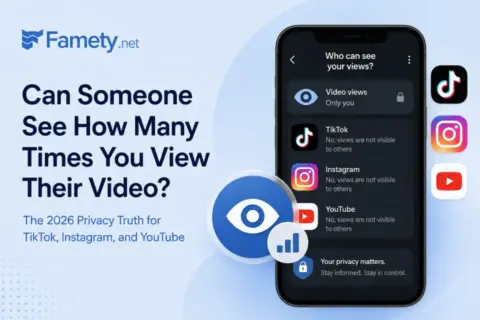
No. Creators on TikTok, Instagram, and YouTube cannot see how many times a specific person watched their video. They see aggregate view counts, engage...
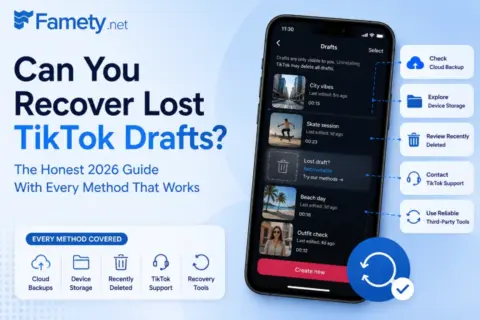
Sometimes, but only in specific situations. TikTok stores drafts locally on your device, not on its servers, which means once the app data is gone the...
Here is a useful breakdown that shows how different sources of social graph data influence suggestion accuracy:
| Data Source Type | How TikTok Uses It | Impact on Friend Suggestions |
| Linked social accounts | Reads friend lists and profile metadata | Strong increase in real life suggestions |
| Shared interaction patterns | Matches users who engage with similar creators | Moderate increase in predicted connections |
| Previously synced contacts | Matches phone numbers and emails against TikTok profiles | Very high accuracy in identifying acquaintances |
| Mutual followers | Detects overlapping interest groups | Mild increase in suggestions depending on activity |
To minimize these effects, return to Privacy settings and locate the controls related to personalized recommendations. Disable the options that allow TikTok to use data from other apps or previous connections. Once turned off, TikTok stops analyzing older social graph records, which helps keep your discovery experience cleaner and more private.
Additional Steps to Reduce How You Appear in Suggestions
Even after disabling contact syncing and unlinking social accounts, TikTok may still surface your profile in suggestion lists based on account visibility, discoverability settings and identity indicators such as your phone number or email. Adjusting these remaining privacy controls strengthens your anonymity on the platform and reduces how easily TikTok can connect your account to people in your real life. These steps are especially helpful if you want to avoid unwanted discovery attempts or keep your activity separate from people who already follow you, including your existing TikTok followers.
Switch to a Private Account for More Control
A private account gives you full authority over who can follow you and who can view your content. When your account is public, TikTok treats your profile as open and eligible for wide discovery, which increases the chances of appearing in people’s suggestion lists. Switching to private restricts exposure because users must send a follow request, and only approved followers can see your posts, interactions and profile details.
To make your account private, go to Settings, open the Privacy menu and enable the Private Account toggle. Once activated, TikTok will no longer promote your profile as a potential connection, since your content becomes invisible to users who are not already approved. This significantly reduces suggestion appearances and keeps your digital footprint more controlled.
Limit Who Can Find You Using Your Phone Number or Email
TikTok uses your phone number and email as strong identity markers that help the algorithm match you to people who may know you offline. If this setting is enabled, anyone with your contact information can potentially find your profile, even if you have disabled other suggestion features. Limiting this option prevents TikTok from using these identifiers to connect your account with others.
To update this, go to the Privacy menu and look for the section labeled Discoverability or Find Me Through. Disable the ability to be discovered via your phone number and email. Once these options are turned off, TikTok can no longer use these identifiers to push your profile into suggestion lists or allow people to locate you through their address book. This step is essential if you want full control over who can access your profile.
Final Thoughts
Stopping TikTok from suggesting friends requires a combination of privacy adjustments, including disabling contacts, removing linked social accounts and limiting visibility settings. By managing these controls and reducing the data TikTok uses to identify connections, you can create a more private and predictable experience on the platform. Whether you want to separate your personal life from your online presence or simply prevent unwanted suggestions, these steps allow you to stay in control of your visibility and protect your account from unnecessary exposure.