You sent a message on Instagram and the moment you hit send, you regretted it. Maybe it was meant for someone else. Maybe you said something in the heat of the moment. Or maybe it was just a typo that completely changed the meaning. Whatever the reason, you need to undo it — fast.
Instagram’s unsend feature exists exactly for this situation. But how does it actually work? Does the other person see a notification? Is the message really gone? Let’s go through everything you need to know.
What Does Unsend Mean on Instagram?
To “unsend” a message on Instagram means to permanently retract it from both sides of the conversation. Once you unsend a message, it disappears from your chat view and from the recipient’s chat view — as if it was never sent.
This is different from deleting a message. When you delete a message on Instagram, you only remove it from your own view. The other person can still see it. Unsending, on the other hand, removes it for everyone involved.



Think of unsend as a mutual erase. Think of delete as tidying up your own inbox.
Does Instagram Notify When You Unsend a Message?
No. Instagram does not send a push notification to the recipient when you unsend a message. There is no “[Name] unsent a message” alert, no banner on their lock screen, and no in-app notification. From a technical standpoint, the action is silent.
However, that doesn’t mean it goes completely unnoticed. Context matters a lot here:
- If the recipient was actively in the chat when you sent it, they may have read it before you had a chance to unsend.
- If their phone displayed a lock screen preview, they might have seen the message content before it disappeared.
- Some Android devices store notification history, meaning the message could still appear in a notification log outside the app.
So while Instagram doesn’t notify them, you can’t guarantee they didn’t see it. Speed matters when you’re trying to unsend something sensitive.
Can the Other Person Still See the Message After You Unsend It?
Once you unsend a message, it is removed from the visible chat on both sides. They cannot go back to your conversation and see the original message. It’s gone from the Instagram interface entirely.
But “gone from Instagram” isn’t the same as “gone forever.” There are a few important caveats:
- Screenshots: If they screenshotted the message before you unsent it, they still have a copy.
- Notification previews: As mentioned, lock screen previews may have shown the content already.
- Instagram’s servers: Instagram states that unsent messages may still be stored temporarily on their servers for safety and moderation purposes. This is separate from what’s visible in the app.
How to Unsend a Message on Instagram
The process is quick once you know where to tap. Here’s how to do it:
- Open the conversation in your Instagram DMs
- Find the message you want to remove
- Press and hold on the message
- A menu will appear — tap “Unsend”
- Confirm the action
The message disappears immediately from both sides of the chat. There is no undo for this — once it’s gone, it’s gone.
What Happens in Group Chats When You Unsend?
The same rules apply in group chats: the message disappears for everyone. But the stakes are higher because more people are involved.
In a large group, there’s a higher chance that at least one person was active and saw the message before you unsent it. Reactions or replies to your message — if they came in fast — can also hint at what you said, even after the original message is gone.
The practical rule: in group chats, assume someone saw it. Unsending handles the visible record but doesn’t erase the experience.
Can You Recover a Message After Unsending It?
No. There is no recovery option for unsent messages. Instagram does not have an inbox archive, a trash folder, or an undo feature for the unsend action.
If you change your mind after unsending, your only option is to retype and resend the message. But be aware: if the recipient noticed something disappeared, them seeing it reappear might raise questions.
Do Unsent Messages Show Up in Instagram Data Downloads?
No, unsent messages are not included in user-facing Instagram data downloads. When you request a copy of your data through Instagram settings, unsent messages will not appear in the file.
However, Instagram may retain these messages temporarily on its servers for moderation and safety reasons — particularly if the message was reported before you unsent it. The distinction is: you can’t see it, but it doesn’t mean it no longer exists anywhere in the system.
Unsend vs Delete: What’s the Real Difference?
This is one of the most confused areas for Instagram DM users. Here’s a clean breakdown:
- Unsend: The message disappears for both you and the recipient. No one in the conversation can see it.
- Delete (for me): The message only disappears from your view. The recipient can still see it on their end.
Use “unsend” when you want to remove a message from the conversation entirely. Use “delete” when you just want to clean up your own chat history without affecting the other person.
Best Practices for Managing Your Instagram DMs
The unsend feature is useful, but it works best as a safety net — not a habit. Here are some practical tips:
- Pause before sending anything sensitive, especially in professional or group contexts
- Use unsend sparingly — frequent message retraction can feel erratic to others
- Recognize that unsending removes the visible record but not the recipient’s memory
- In professional settings, consider your messaging tone before sending, not after
Building a credible presence on Instagram comes down to more than just managing mistakes. If you’re growing a personal brand or business account, investing in real engagement matters. You can Instagram comments or Instagram followers to establish social proof while you build your organic reach.
Final Thoughts
Instagram’s unsend feature gives you a real tool for managing your conversations and correcting mistakes. It works as advertised: the message vanishes from both sides, no notification is sent, and there’s no recovery option.
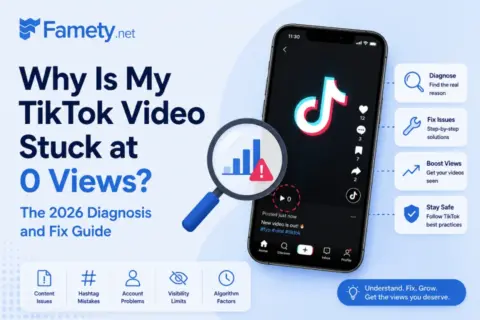
A TikTok video sits at 0 views for one of six reasons: it is still in TikTok's automated review (usually clears in 5 to 30 minutes), the video was fla...
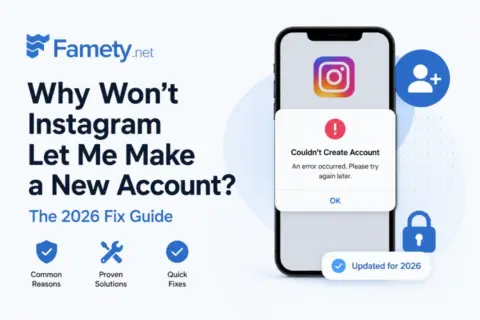
Instagram usually blocks a new account for one of six reasons: you already have 5 accounts linked to the same email or phone number, you have 5 accoun...
But it’s not a magic eraser. If someone saw the message, heard about it through a screenshot, or read a notification preview, unsending can’t undo that. And Instagram may retain a server-side copy for moderation purposes regardless.
The real lesson here is the same one that applies to social media in general: think before you share. The unsend button is a good backstop, but your first instinct should always be to send intentionally.
Frequently Asked Questions
Does Instagram notify when you unsend a message?
No. Instagram does not send any notification when you unsend a message. However, the recipient may have already seen the message through a push notification preview or if they were actively in the conversation.
Can someone see if you unsend a message on Instagram?
They cannot see the message in the chat after you’ve unsent it. But if they saw it before you unsent it — or received a notification preview — they may still know it existed.
Can you recover an unsent Instagram message?
No. Unsent messages cannot be recovered by either party. There is no undo option, no trash folder, and no archive for unsent messages.
Do unsent messages appear in Instagram data downloads?
No. Unsent messages are excluded from user-facing data downloads. However, Instagram may temporarily retain them server-side for safety and moderation purposes.
What is the difference between unsend and delete on Instagram?
Unsend removes the message for both parties. Delete only removes it from your view, leaving the recipient’s copy intact.
Can you unsend a message after someone has seen it?
Yes. You can still unsend it — the message will disappear from the chat. But you can’t erase what they’ve already read.
What happens if you unsend a message in a group chat?
The message disappears for everyone in the group. However, in large groups, there’s a higher chance someone already saw it before you could unsend it.