TikTok added Creator Search Insights to give creators a direct window into what their audience is actually searching for. Think of it as a simplified keyword research tool built into the platform itself, designed specifically for video content rather than web pages.
Most tutorials about this tool focus on the basics: how to open it, what the tabs look like, how to find a trending topic. This guide goes further. It covers the dashboard in full, explains how to use the Content Gap feature strategically, addresses what to do if you’re under 1,000 followers and can’t see all the data, and shows how to turn a search insight into an actual content calendar.
What Is TikTok Creator Search Insights?
Creator Search Insights is a tool inside TikTok that shows creators what users are searching for on the platform. It surfaces high-volume search topics, identifies categories, and highlights specific “content gaps,” which are topics people are searching for actively but that don’t have many quality videos yet.
TikTok has described it as a way to help creators “understand what their audience is looking for and create content that meets that demand.” In practical terms, it’s the closest thing TikTok has built to a SEO keyword tool for its own search engine.



The tool matters more now than it did when it launched. In 2024 and 2025, TikTok’s search function became a primary discovery mechanism, particularly for users who are looking for specific information rather than just browsing. The platform reported that a significant portion of its user base regularly uses TikTok search as a first step when looking for tutorials, product reviews, local recommendations, and how-to content.
If you’re not making content that shows up in those searches, you’re invisible to a large segment of potential viewers.
How to Access Creator Search Insights in 2026
There are two ways to find it:
Method 1: Search bar Open TikTok, tap the search icon, and type “Creator Search Insights” in the search bar. A result labeled “Creator Search Insights” with a View button will appear above the regular search results. Tap View.
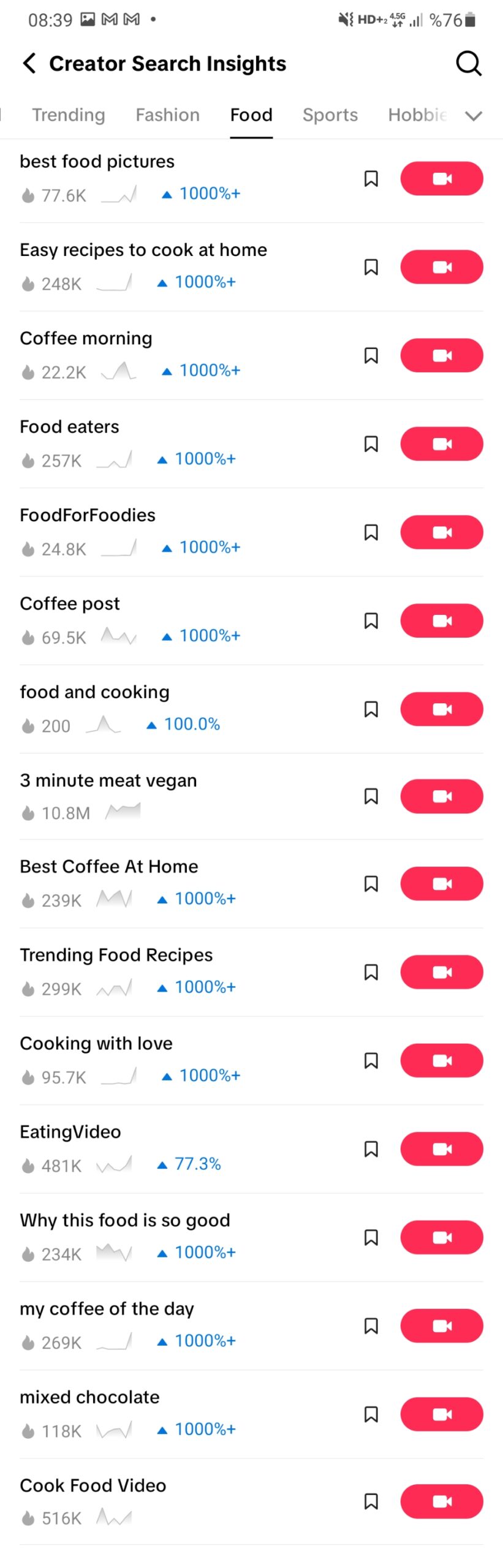
Method 2: Creator Tools (newer path) Go to your profile, tap the three-line menu in the top right, select “Creator Tools,” and look for Creator Search Insights in the list. This option became more consistently available in 2025 and should appear for most accounts.
Note: If you don’t see it immediately in Creator Tools, the search bar method works for essentially all accounts, including ones that are newer or have fewer followers.
Understanding the Dashboard: The 4 Key Sections
Once you’re in, the dashboard has four tabs. Each one answers a different question.
Suggested
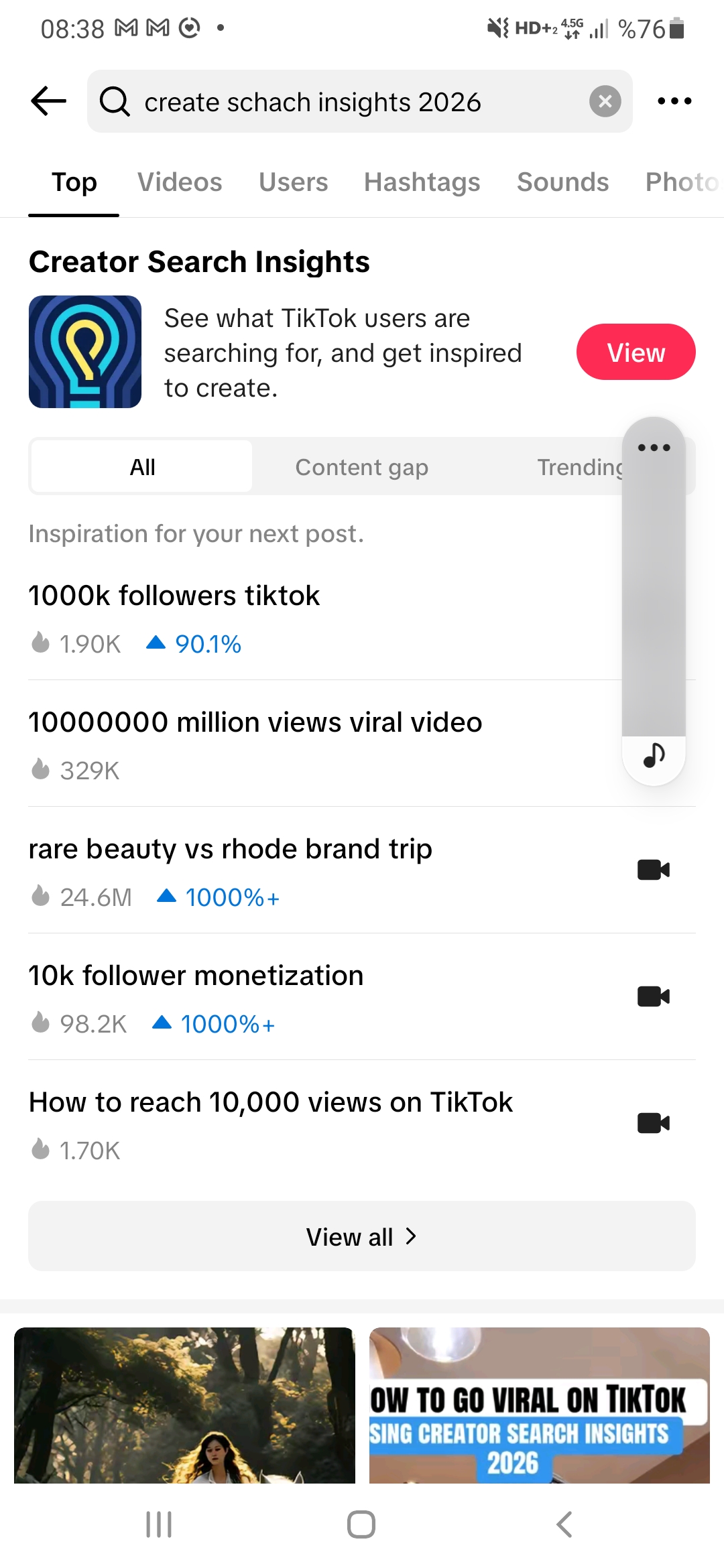
The Suggested tab shows topics that have high search volume on TikTok right now, organized by category. Categories include Fashion, Food, Sports, Tourism, Gaming, Science, and others. You can filter by category or browse the full list.
This tab is most useful when you’re exploring broadly. If you already know your niche, it helps to filter by category. The entries show a search volume bar (indicating relative popularity) and a “Content” indicator showing how many videos currently address that topic.
A high-volume topic with a lot of existing content means high competition. A high-volume topic with less content is a potential opportunity, though that evaluation is done more precisely in the Content Gap tab.
For You
This tab is personalized. It surfaces topics that are popular among users who are similar to your existing followers and viewers. The logic is: if your current audience watches a certain type of content, the people searching for those topics are also potential followers.
For You is the most immediately actionable tab for creators with an established niche. If you’re creating cooking content and For You shows three recipe topics that are trending in the food category, that’s a signal about what your specific audience wants next.
You need to have an established content history on TikTok for this tab to be meaningful. Brand-new accounts will see generic suggestions rather than personalized ones.
Content Gap
This is the most strategically valuable section in the entire tool.
Content Gap shows topics where search demand is high but the current supply of quality videos is low. TikTok’s own documentation describes it as “topics that are searched for often, but aren’t featured in a large number of videos.”
The practical implication: a video about a Content Gap topic gets a structural head start. There’s demand but less competition. TikTok’s algorithm has more reason to surface your video because fewer alternatives exist.
The best strategy for using Content Gap is to look for topics that are relevant to your niche and where you can provide genuine quality. The content gap creates an opening, but a low-quality video doesn’t hold the position.
Searches by Followers
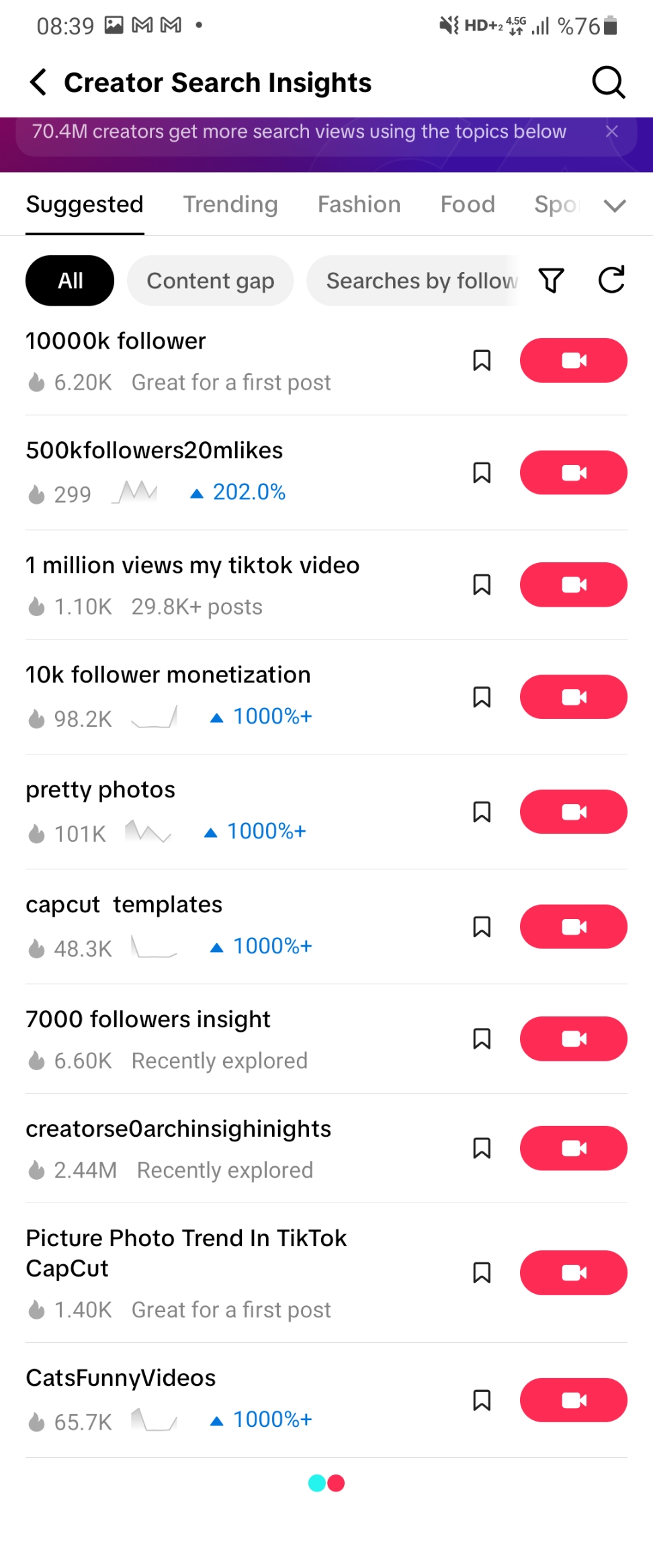
This tab shows what topics your specific followers are searching for. It’s the most targeted data in the entire tool.
Important restriction: This tab only appears if your account has more than 1,000 followers. Under that threshold, you won’t see it. The next section covers what to do in that situation.
How to Find Viral Content Ideas Using the Content Gap Feature
This is the workflow that translates directly into content decisions.
Step 1: Go to Creator Search Insights and tap “Content Gap.”
Step 2: Filter by your niche category. If you create food content, select Food. If you create travel content, select Tourism. This eliminates irrelevant suggestions and focuses on topics your audience is actually likely to search.
Step 3: Sort by search volume (highest first). You want the topics where demand is highest relative to existing supply.
Step 4: Open the topic detail page. You’ll see the search volume bar, a topic description, and sometimes a list of existing videos that address it. Watch two or three of those videos to understand what the current treatment looks like.
Step 5: Ask: what would a genuinely better video on this topic look like? More specific. More accurate. More practical. Better visuals. This question determines whether you can actually capture the gap or just add to the noise.
Step 6: Add the topic to your content calendar for the next 1-2 weeks.
How to Research a Specific Keyword
If you have a topic in mind and want to check its search potential before creating content, the search bar inside Creator Search Insights handles this.
Open Creator Search Insights, tap the search bar at the top of the interface, and type your topic or keyword. You’ll see:
- A search volume indicator (the bar showing relative popularity)
- Whether the topic falls into the Suggested or Content Gap category
- Related searches that might perform better or capture a more specific audience
One thing to watch: search popularity reflects total search volume, not necessarily the volume from your target audience. A topic might be popular overall but irrelevant to your specific niche. The “For You” personalization helps with this, but it’s worth using your own judgment about whether a trend is relevant before acting on it.
For Accounts Under 1,000 Followers: What to Do
The Searches by Followers tab isn’t available to you yet, but the other three tabs are fully accessible.
Here’s how to use the tool effectively without that data:
Use Content Gap as your primary lens. The content gap opportunities don’t require audience data to be actionable. High search volume plus low competition is useful regardless of your specific follower composition.
Filter by category to simulate personalization. You know your niche. Filtering the Suggested tab to your category gives you a rough proxy for what your audience cares about even without the personalized Searches by Followers data.
Watch what’s working for accounts you admire. Look at 3-5 creators in your niche who are roughly 3-6 months ahead of you in growth. What topics are they making videos about? Cross-referencing their recent uploads with Creator Search Insights data shows you topics that are both algorithmically interesting and proven to resonate with your target audience.
The 1,000-follower threshold for the Searches by Followers tab is also a practical reason to reach that number as quickly as possible. Growing your TikTok followers to 1,000 unlocks both the full Creator Search Insights experience and direct live streaming access. It’s the most consequential early milestone on the platform. Famety’s TikTok follower counter lets you track exactly where you are in real time.
Turning Search Insights into a 30-Day Content Calendar
Research tools are only useful if they produce content. Here’s a practical workflow for converting Creator Search Insights data into a monthly plan.
Week 1: Open Content Gap, filtered to your niche. Identify 8 topics with high search volume and relatively low competition. Write them down with the approximate search volume bar level noted.
Week 2: Cross-reference the 8 topics with the For You tab (if you have follower history) and eliminate topics that feel off-niche even if they’re popular. You should be left with 5-6 strong candidates.
Week 3: Research the top 3-4 existing videos for each remaining topic. Note what each one does well and what it misses. This is where your differentiation comes from.
Week 4: Plan your posting schedule. Content gap topics should be published within 1-2 weeks of identification, since gaps close as more creators discover them. Trending topics from the Suggested tab have a shorter window (48-72 hours often). For You topics can be planned on a regular weekly cadence.
The output is a calendar with 12-16 video topics for the month, each grounded in search data, each with a differentiation angle based on what existing videos are missing.
Common Mistakes to Avoid
Chasing the most popular topics without checking competition. A topic with maximum search volume and 10,000 existing videos is not a gap. The combination matters.
Using the tool once and forgetting about it. Search trends shift. Topics that are in the Content Gap this week may have plenty of content in three weeks. Building a weekly check-in into your content process keeps you current.
Ignoring the content quality bar. Creator Search Insights tells you where demand exists. It doesn’t tell you that your video on that topic will be good. A mediocre video in a content gap still underperforms a high-quality video that missed the gap.
Only targeting high-volume topics. Mid-volume topics with very low competition and strong relevance to your niche often produce better results than high-volume topics where you’re competing against established creators.
Forgetting the title and description. TikTok’s search engine indexes the text in your video title and description, not just the audio. A video about a content gap topic needs to actually use the search terms in its text. Video titles that match search queries rank better in TikTok’s search results.
Frequently Asked Questions
What is TikTok Creator Search Insights?
It’s TikTok’s built-in tool that shows creators what topics their potential audience is searching for, which topics are trending, and where content gaps exist. It’s accessible via the TikTok search bar or Creator Tools in account settings.
How do I access Creator Search Insights in 2026?
Type “Creator Search Insights” in TikTok’s search bar and tap View, or go to Profile, open the three-line menu, select Creator Tools, and find it in the list. Both paths work for most accounts.
What is the Content Gap feature in Creator Search Insights?
Content Gap shows topics where users are searching frequently but where relatively few quality videos exist. These topics represent an opportunity to rank in TikTok search with less competition than high-saturation topics.
Do I need 1,000 followers to use Creator Search Insights?
You can access Suggested, For You, and Content Gap tabs regardless of follower count. The Searches by Followers tab, which shows what your specific followers are searching for, requires 1,000 followers to appear.
How often should I check Creator Search Insights?
Weekly is the recommended cadence for active creators. Content gaps close as more creators discover them, and trending topics have short windows. A monthly check is the minimum for keeping your content strategy current.
Does Creator Search Insights work in all countries?
As of 2026, the tool is available in most major markets where TikTok operates. Some features, particularly the Search by Followers tab, may have regional differences in data availability.